Taxable Income and Taxes Payable
In this article, we provide explanations and instructions to help you access detailed calculations and resources to understand the taxable income and taxes payable in your projections. This includes annual taxes while the clients are alive and estate tax calculations. We also demonstrate how you can compare the taxes payable across different scenarios.
In this article:
- Taxable Income during the client's lifetime
- Total Taxes during the client's lifetime
- Summary of the tables available under the Income Tax section
- Taxable Income in the estate
- Total Taxes in the estate
- Comparing taxes payable across different scenarios
- 1
-
Taxable Income during the client's lifetime
Snap calculates each client's Taxable Income each year of the projection. Taxable Income includes any employment income, other taxable T4-type income, eligible and non-eligible dividend income, and investment income (including interest, foreign and Canadian dividend income, and capital gains).
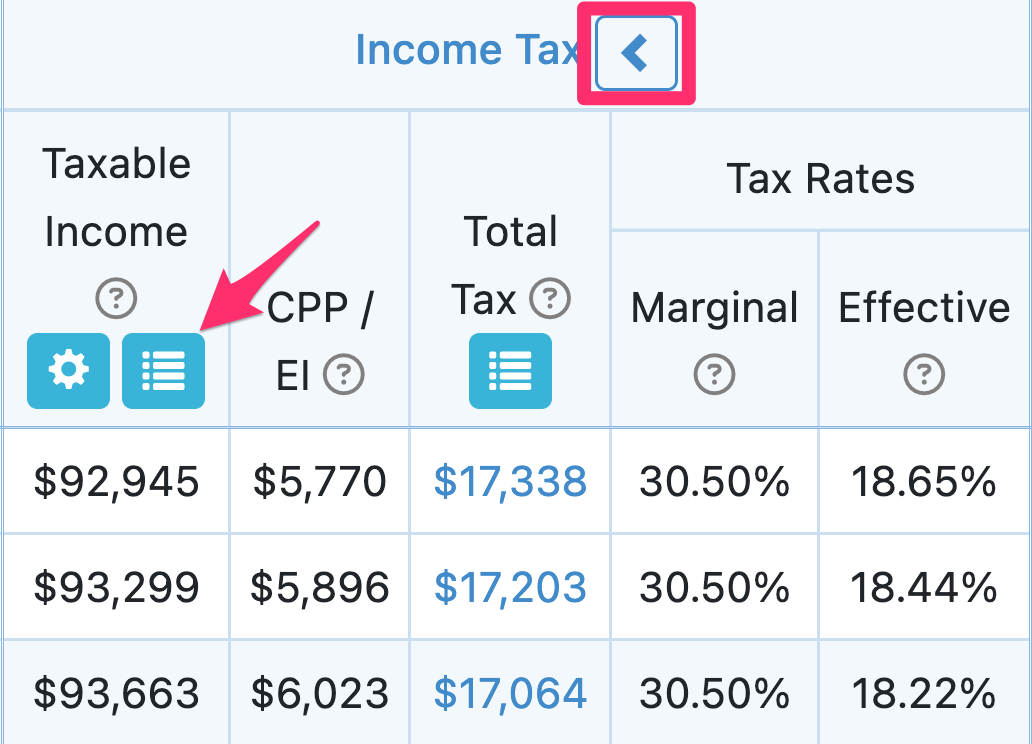
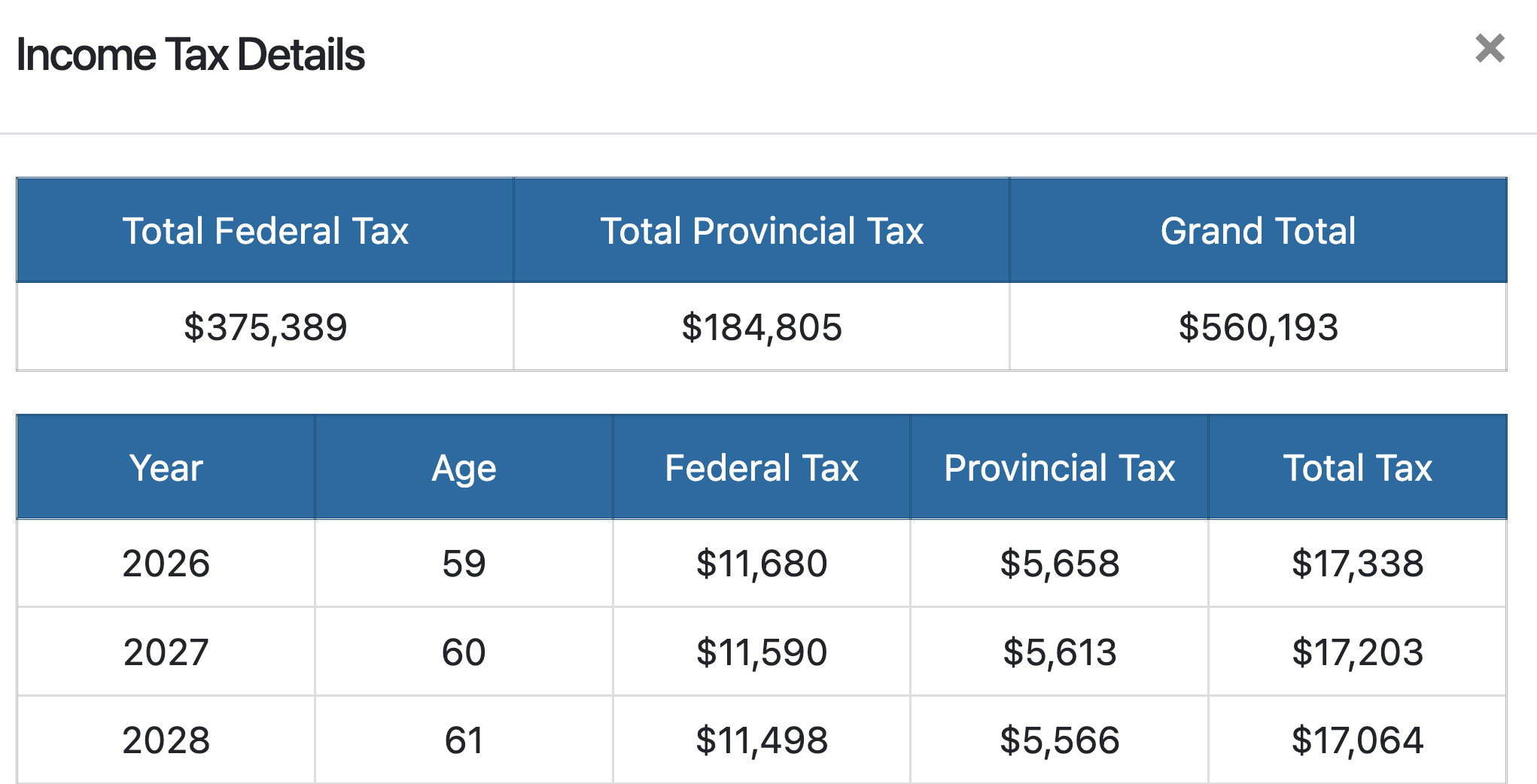
You can click the blue icon under Taxable Income on the Planning Pages to see the Taxable Income breakdown. Make sure the Income Tax section is expanded (the arrow in the section header is pointing to the left):

The Taxable Income Details table will pop up. Note that you can export these details to Excel by clicking the Export icon at the top of the page. Here is a screenshot of the first few columns of the window that will appear:

Additional details on the included values for each column can be found through the (?) icon.

The Pensions column includes the maximum OAS income the individual could receive (if applicable). OAS clawback amounts are displayed under the Deductions column.
More formally, Taxable Income is defined as follows:
TAXABLE INCOME =
employment income
+ pension income (DBPP, RRIF, LIF, CPP, OAS)
+ other taxable income
+ withdrawals from registered assets (RRSP, non-qualifying FHSA)
+ non-registered investment income that includes interest, foreign dividend,
  grossed up eligible dividend (grossed up at a rate of 38%) and taxable portion of capital gains (including those created by portfolio re-balancing)
+ grossed up non-eligible dividend (grossed up at a rate of 15%)
+ grossed up eligible dividend (grossed up at a rate of 38%)
+ taxable portion of capital gains from real assets and corporations
+ other (taxable) benefits
- tax deductions
- contributions to registered assets (RRSP, Spousal RRSP, LIRA, FHSA)
- tax deductible interest on debt.
For detailed annual tax calculations including itemized tax deductions and tax credits, please see the Income Tax Details for a given year, accessible from the Planning page.
- 2
-
Total Taxes during the client's lifetime
The Federal and Provincial Tax calculations in Snap are made using the assumption that the current Canadian tax system is not going to change drastically, which is the best assumption that we can make as of today.
The Total Tax paid is displayed in a column under Income Tax on the Planning Pages. More details are available when you click the blue icon under the title of the column.
Income Tax Details Table (Totals of Federal and Provincial Tax)
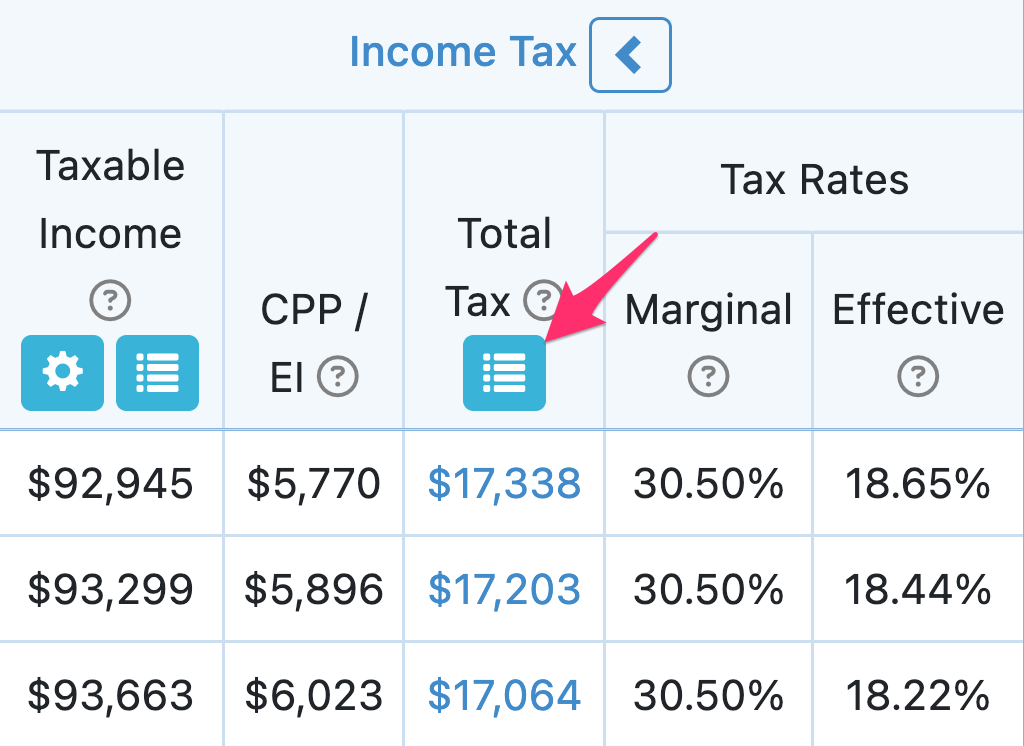

If any foreign withholding tax is applicable, it is included in the Federal Tax amount. (The foreign withholding tax default is 15%). You can update the Portfolio Settings to adjust the percentage of foreign dividends in the Equity asset class allocation.
The Provincial and Federal Tax brackets and applicable tax credits and deductions are indexed to inflation (as appropriate).
You can also customize the plan for non-refundable tax credits, tax deductions and taxable benefits on the Scenario Setup -> Settings -> Income Taxes page.


If a client's Taxable Income remains constant in the projections, you will see a reduction in the Total Tax paid each year (and the Effective Tax Rate) as the tax credits and brackets increase with inflation while the Taxable Income remains constant.
For clients with Ontario as their province of residence, the Ontario Health Premium is automatically calculated and included in the Total Tax value.
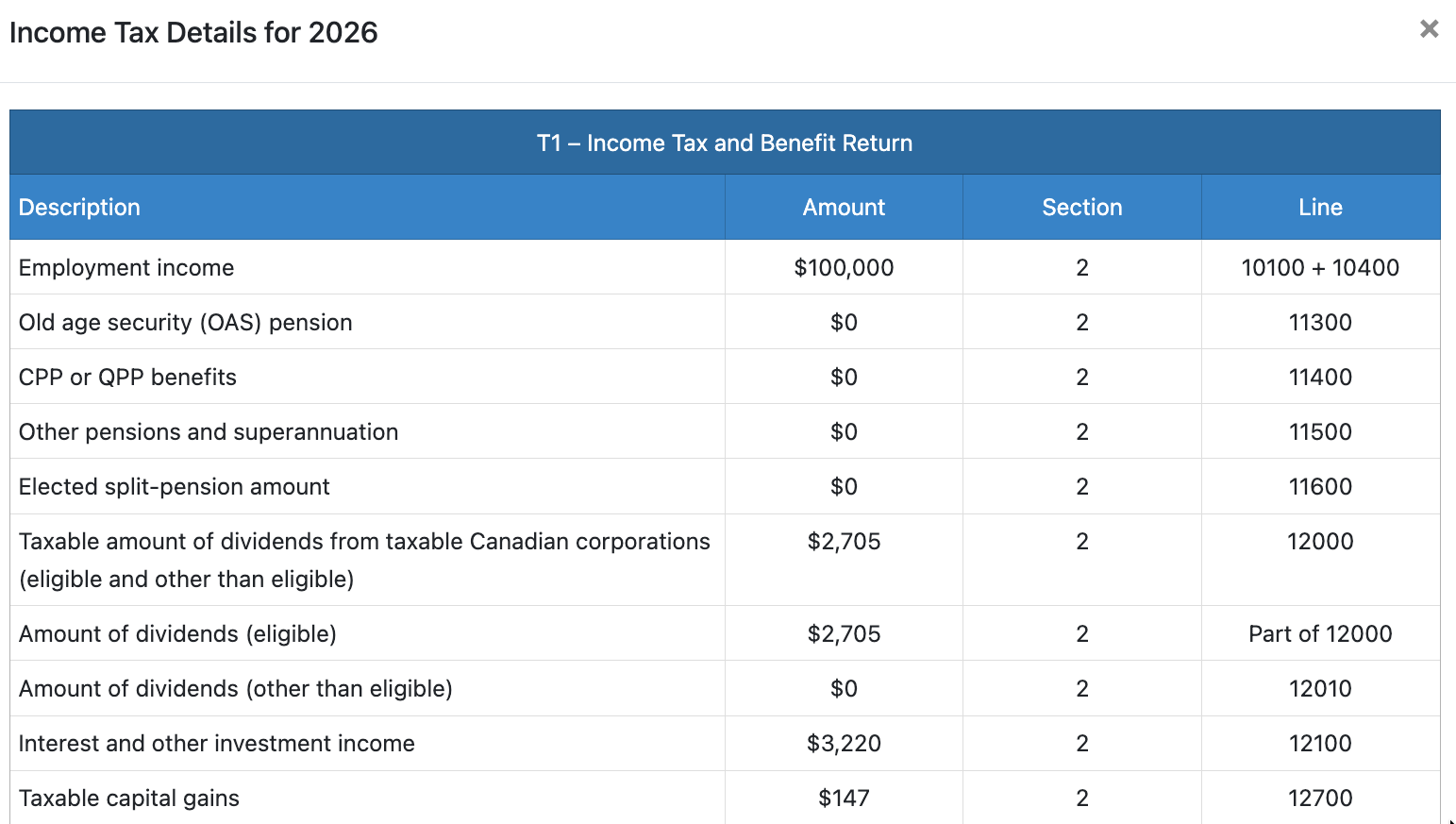
Income Tax Details for given year (T1, Federal/Provincial worksheets, etc.)
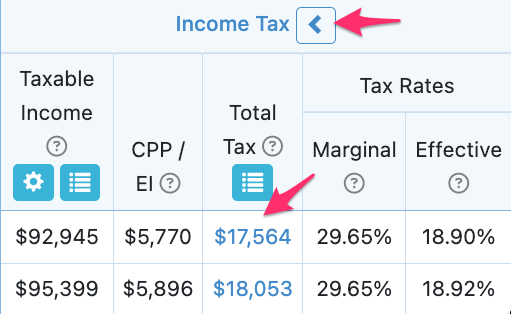
You can view a breakdown of the individual Total Tax calculation in any year of the projection by clicking the dollar value to access the Income Tax Details table. These values are provided on an individual basis and are accessible from the individual Planning Pages. You'll need to ensure that the Income Tax section is fully expanded.


The Income Tax Details for a given year provides the income tax form fields used to calculate the client's annual taxes payable.

This table can help with understanding assumptions and calculations (e.g., that tax credits are indexed to inflation, the reduction to the age amount credit based on net income).

It can also help with illustrating the benefits of various strategies (e.g., partial conversions of RRSPs to access the pension tax credit, in-kind charitable donations).

The Income Tax Details for a given year is provided from the Planning page only and printing or exporting the details is currently not supported.
- 3
-
Summary of the tables available in the Income Tax Section
|
Taxable Income Details
|
Displays a summary of the values used to calculate each year's taxable income |
|
|
Income Tax Details
|
Displays the annual Federal, Provincial and Total Tax as well as the grand totals. |
|
|
Income Tax Details for a given year
|
Displays the individual line items for the given year's income tax calculation. Includes the T1, Federal and Provincial worksheets, schedules, etc. Applicable tax credits and deductions used in the income tax calculation are visible here. |
|

- 4
-
Taxable Income in the estate
You can find estate tax information, including the Taxable Income included in the calculation, in the Balances section on the Planning Pages. You'll need to ensure that the Balances section is fully expanded.
The Estate Taxable Income shows the total taxable income calculated in the final estate. This is on top of any Taxable Income realized in the calendar year included in the Income Tax section. These values are based on events in the estate, such as registered withdrawals, capital gains from deemed dispositions, and corporate distributions.

You can click on the box in the Estate Taxable Income column header to access the Estate Taxable Income Details table for a breakdown of sources. As a reminder, the Estate Taxable Income and Tax on Estate assumes no rollover of assets to a surviving spouse. This is for information purposes only and is designed to indicate the deferred tax liability on the client's Assets. If a spouse passes away in a projection, eligible assets are rolled over on a tax-deferred basis. More information on scenarios with a surviving spouse can be found in our dedicated article.


Definitions for each column are available from the (?) icon.

- 5
-
Total Taxes in the estate
You can click on the box in the Tax on Estate column header to access the Tax on Estate Details table.


The Recovery Tax corresponds to any OAS received in the calendar year that would be clawed back in the final estate.
- 6
-
Comparing taxes payable across different scenarios
You can view additional tax information (e.g., personal taxes, corporate taxes, estate taxes) and compare values across projections using the Scenario Comparison tool.
There are metrics available in the Summaries table.

You can also access dedicated charts in the Trends section.
