September 5, 2024 - Release Notes - Scenario Comparisons and Updated Scenarios List
| Summary: |
|---|
- New Feature
A new comprehensive and customizable Scenario Comparison tool is now available to review the assumptions and results of your projections and illustrate the benefits of different decisions to clients.
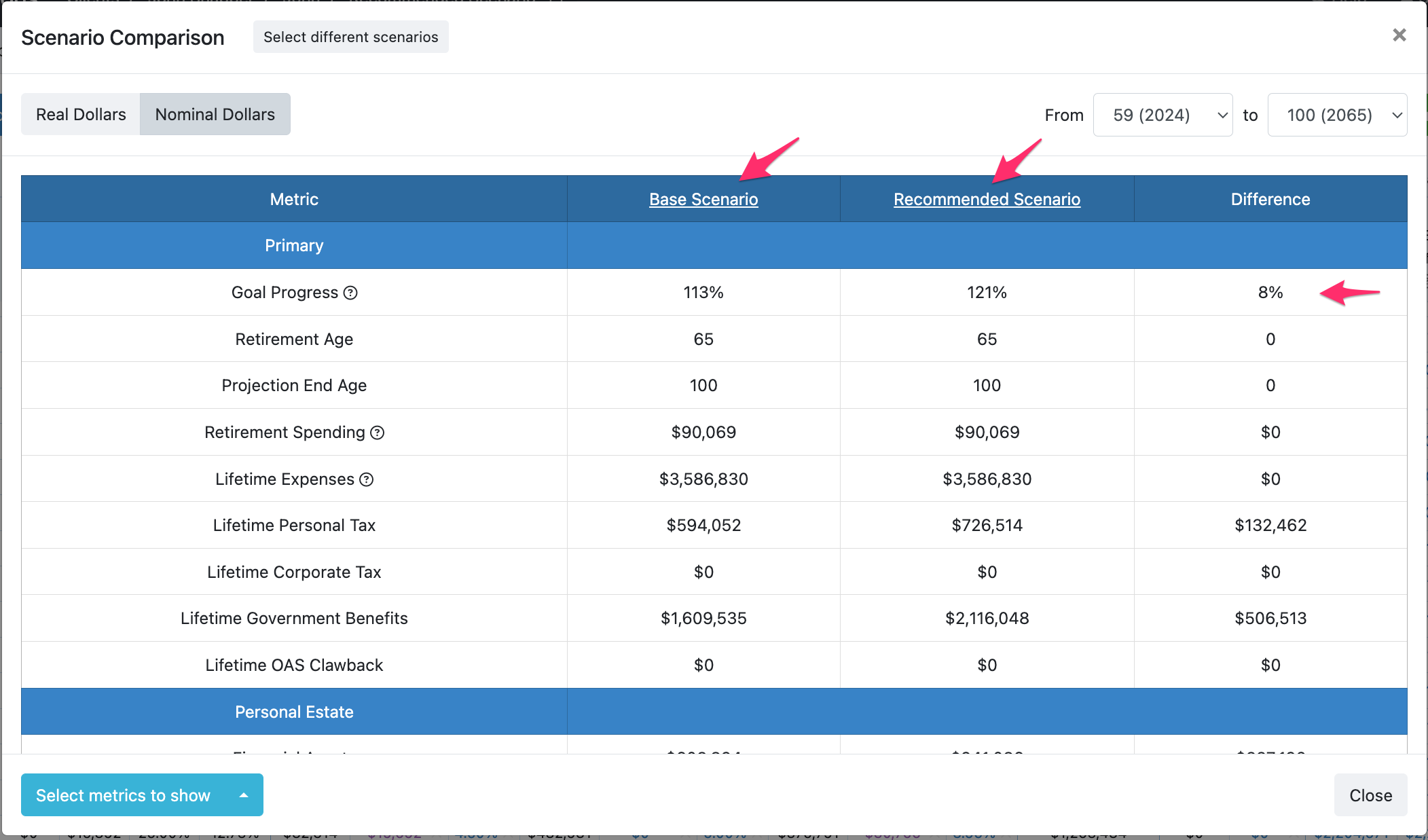
Watch a 10-minute video for a quick overview of how to compare scenarios across important metrics.
Due to the expanded metrics available in the new tool, you will no longer compare scenarios directly from the Estate Before Tax modal.
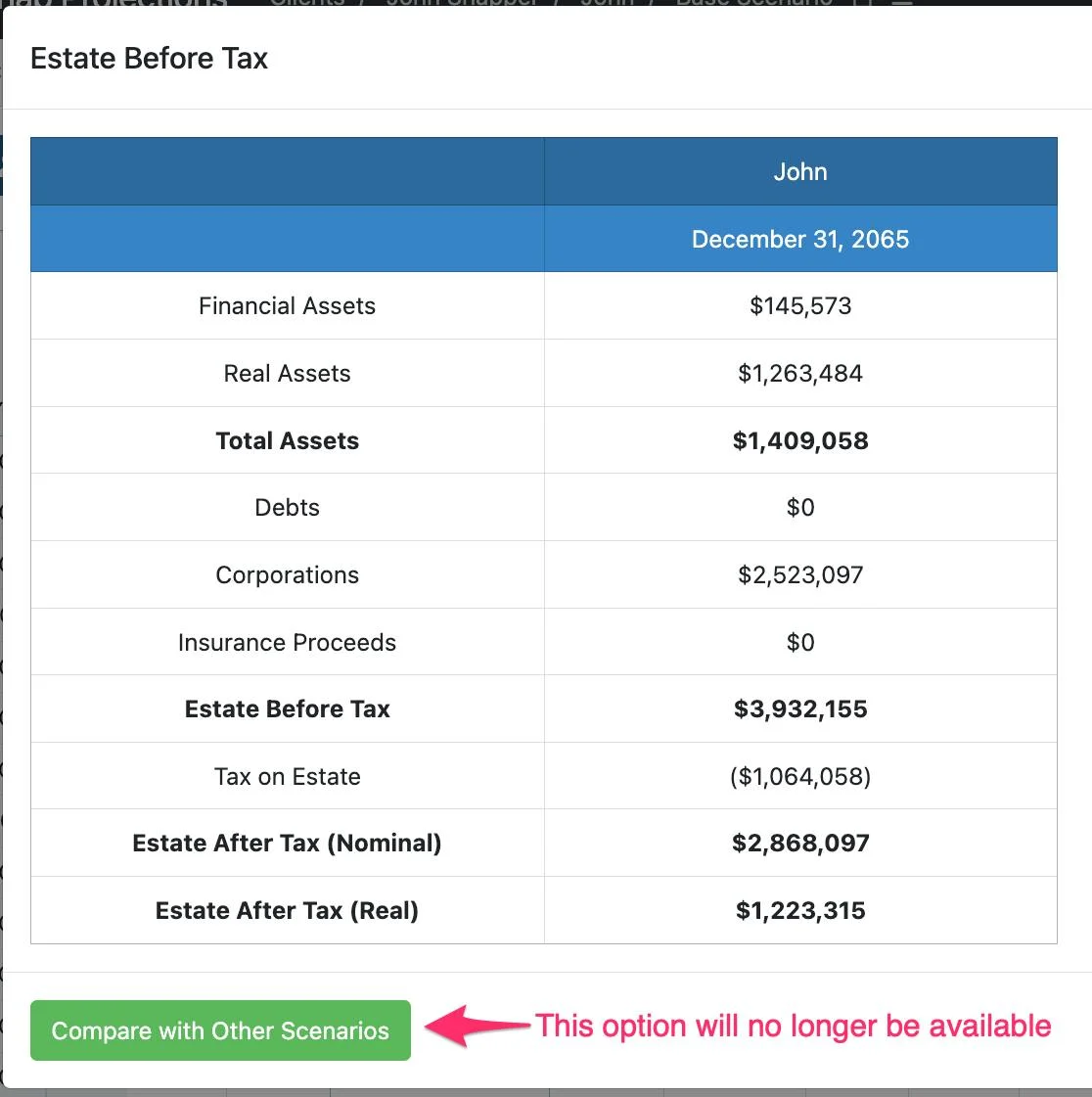
Instead, you'll access the new tool from the menu option within any existing scenario.

We also have a Comparing Scenarios article that provides an overview of how to create, customize, and export your scenario comparisons. As well as a Compare Scenarios Definitions and Use Cases article with detailed definitions and use cases to ensure you're comfortable with the assumptions and calculations in the Compare Scenarios feature.
- Enhancements
You can now view all client scenarios from the Scenarios list.
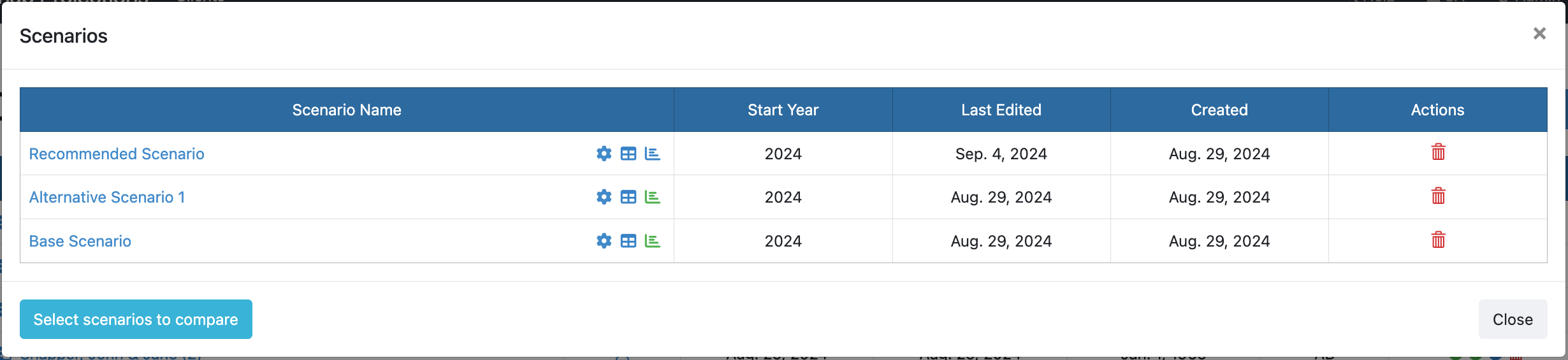
Previously, when you selected Switch Scenario from the menu, you were presented with all scenarios except for the scenario that you were currently accessing. This occasionally caused confusion as users weren't certain if all scenarios had been saved, or how to view the scenario they were currently accessing.
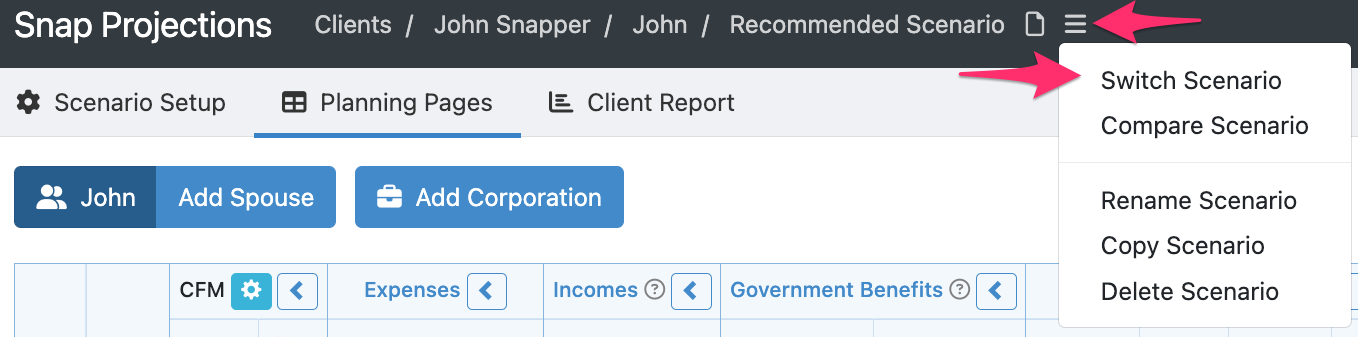
To resolve this, and to make comparing scenarios easier, we now include all available scenarios when you access the Scenarios list.
| Back to top |