August 10, 2026 - Release Notes - Monte Carlo Release and Goal Balance Improvement
| Summary: |
|---|
- New Features
You can now run Monte Carlo analysis as part of the paid Stress Testing Add-on.

A base scenario using fixed annual returns provides a strong foundation for planning discussions, tax analysis, and cash flow projections. However, it does not capture the uncertainty and range of outcomes clients may experience in the future. Monte Carlo analysis helps illustrate this range, allowing advisors and clients to better understand the resilience of a plan under different market conditions.
The Monte Carlo feature runs 1,001 possible sequences of returns and inflation rates through your scenario to calculate how your client would fare in those different circumstances. These sequences can include higher inflation periods, poor returns at the beginning of the plan, poor returns right after retiring, and many more. Snap determines whether your client would run out of liquid resources (e.g., personal Financial Assets) during the projection length and provides a Success Probability. The Success Probability explains how often the client ends the projection with a positive Goal Balance (the remaining personal net liquid assets after tax). The Success Probability is displayed in the header for the final year of the projection and can be viewed for all years of the projection in the chart.

Here is a 13-minute video overview to see the feature in action.
We also have a dedicated article that covers the following topics and more:
- Feature summary.
- Accessing the Monte Carlo feature.
- Monte Carlo results.
- How Monte Carlo is related to Randomized Scenario.
- Frequently asked questions.
Once you've calculated the Monte Carlo analysis, a Client Report page will automatically be made available in the Report Builder in the Stress Testing section.
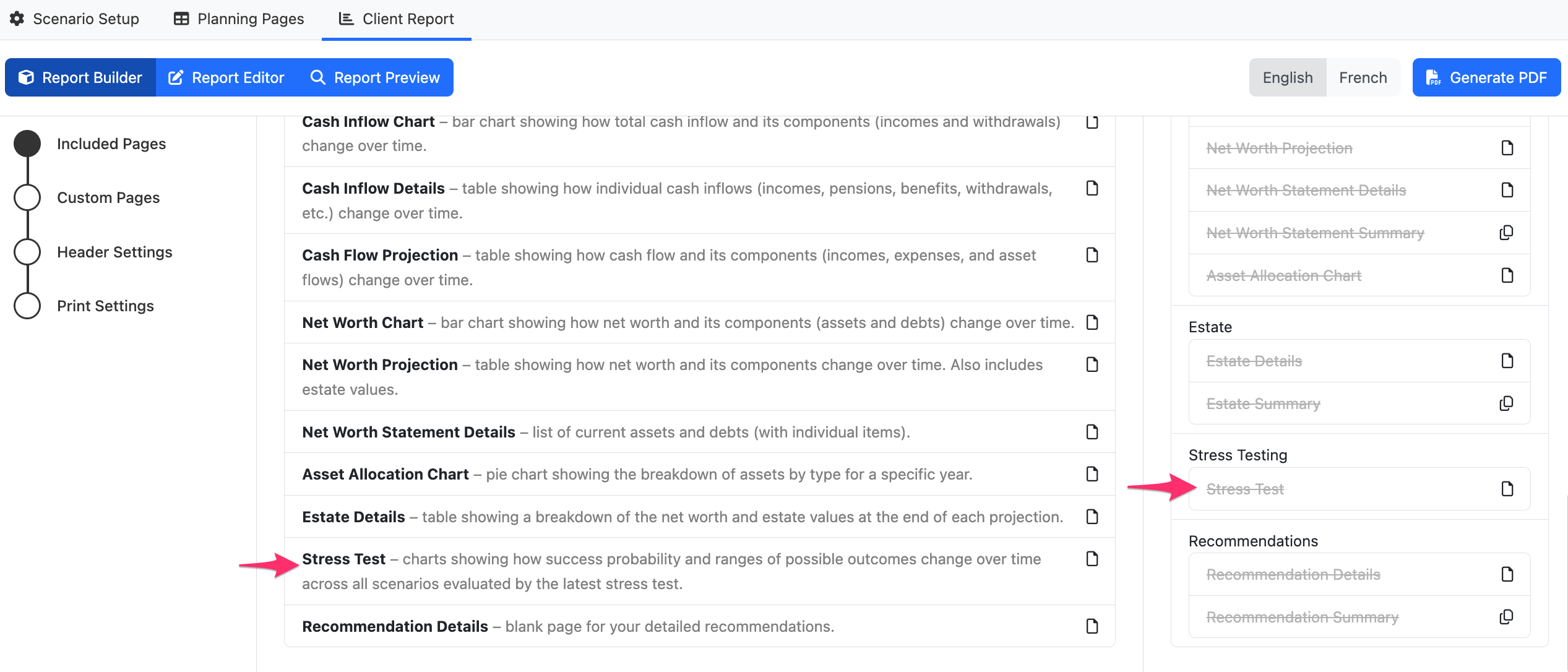
By default it will be included in your Client Report. If it isn't in the Included Pages, you can select it from the Gallery and drag it into your desired location. You can then save your Default report settings to include it in all future projections with Monte Carlo analysis.
You can then review and customize the content from the Report Editor.
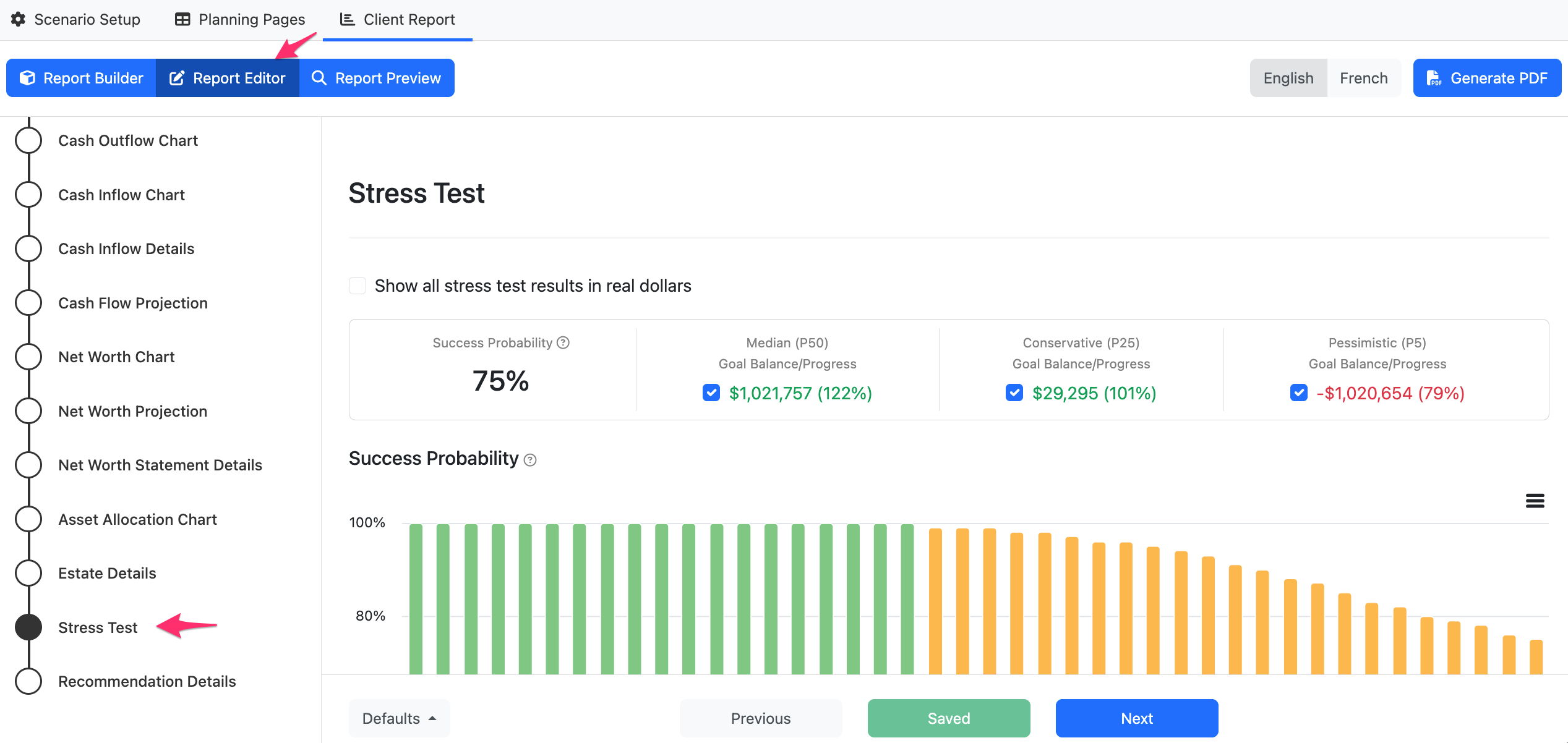
You can select whether to display the information in Nominal or Real Dollars, which Charts to include, and add any desired Comments.
- Enhancements
We've updated how Goal Balance is calculated. Since Goal Progress is derived from Goal Balance, this change will also affect Goal Progress throughout Snap, including Recommendations, Scenario Comparison, Snapshots, and Monte Carlo.

- No longer subtract personal debt entered on the Scenario Setup -> Debts page.
- Now subtract estimated taxes payable on the Financial Assets included in the calculation.
The Randomized Scenario feature has been expanded to 1,001 sequences
To support the Monte Carlo analysis, we've expanded the number of random sequences generated in the Randomized Scenario tool from 101 to 1,001. Your existing Randomized Scenarios will remain unchanged. When you access the Randomized Scenario modal you'll still see the same rate sequences (which are also the rates applied to your projection (if applicable)). The only change is that this sequence will be located in a set of 1,000 other scenarios instead of 100 others. As a result, the location of the sequence on the slider bar at the bottom of the chart may have changed.

You can now use authenticator apps for multi-factor authentication (MFA) in Snap
From your User Settings page you can enable MFA and then select whether you want to use an Authenticator app (e.g., Google Authenticator, Microsoft Authenticator) to receive a six digit code when signing into Snap Projections.

More information on enabling and disabling MFA is available in our dedicated article.
| Back to top |